
- Home
- Download the free addons
Free Achievement Pathfinder addons
Retail and WoW Forever addons are free. No license, no activation code. Also on CurseForge. Looking for the AP Planner? That's a separate, invite-only addon.
100% ToS-safe — uses only Blizzard's official addon API. Also on CurseForge.
Achievement Pathfinder for Retail, version 1.4.0 — a new window. /ap now opens the same kind of glass window that Pathfinder for WoW Forever has, made for Retail: Here (the zone you stand in and your next best step, with Guide me), Goals (your achievements in four views, the meta achievements with what you can do where you stand, and My plan) and Settings (window size, transparency, which arrow to use, the zone banner and hints on creatures, with a live preview). A search box in the header finds an achievement, a campaign or a page.
Everything the old window did is still there. /ap old opens it, a switch in Settings makes it the one /ap opens, and if the new window ever fails the old one takes over until you /reload. The new window opens at 940 x 600; Settings > Display > Interface gives you the roomier 1100 x 700. Your settings come along, and the AP Planner opens its achievements and metas in the new window. The addon keeps its name and still only shows information: it never accepts or hands in quests, moves you or presses a key.
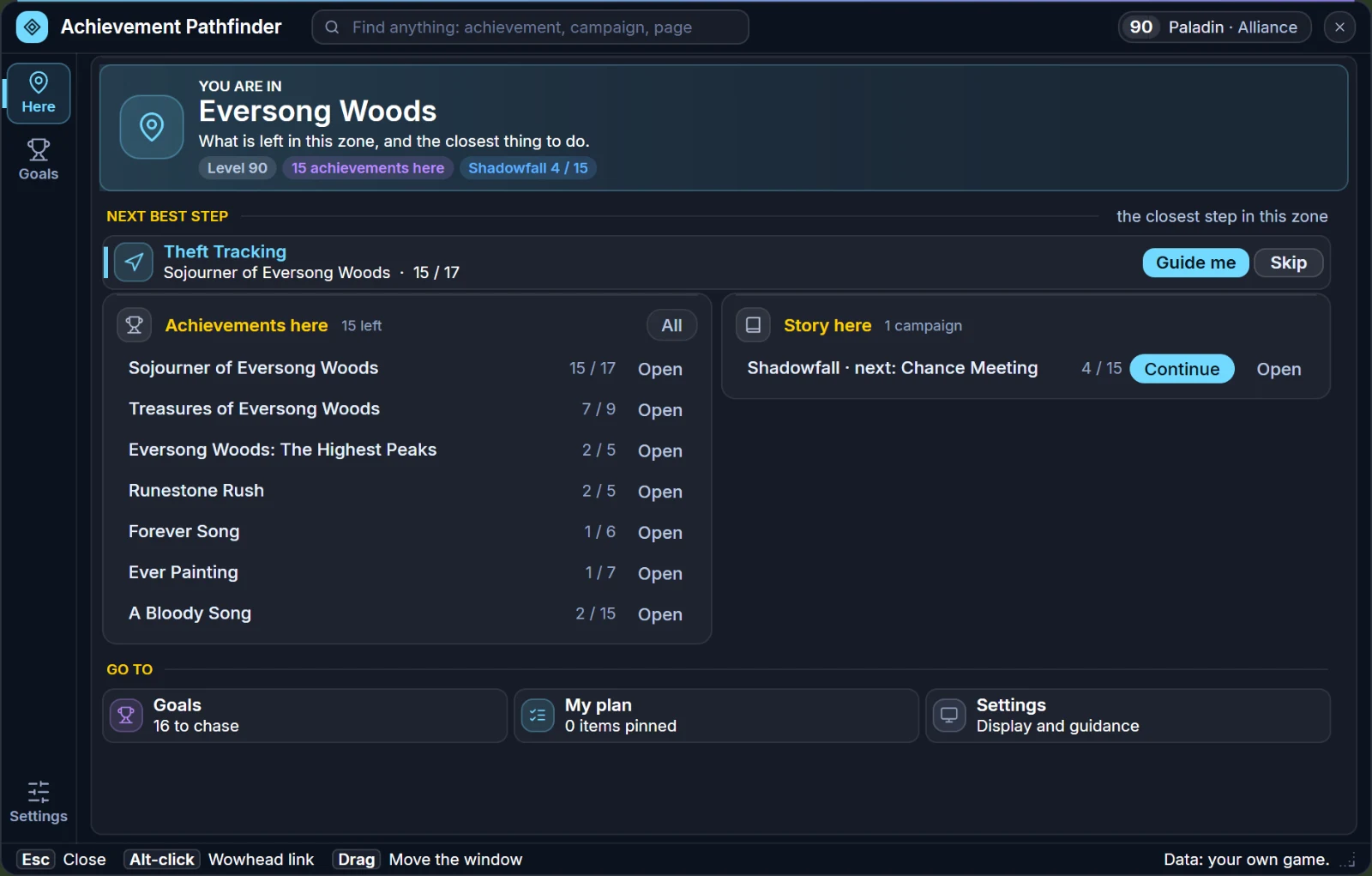
Here — The zone you stand in, what is left in it and your next best step, with Guide me. Type /ap to open it.
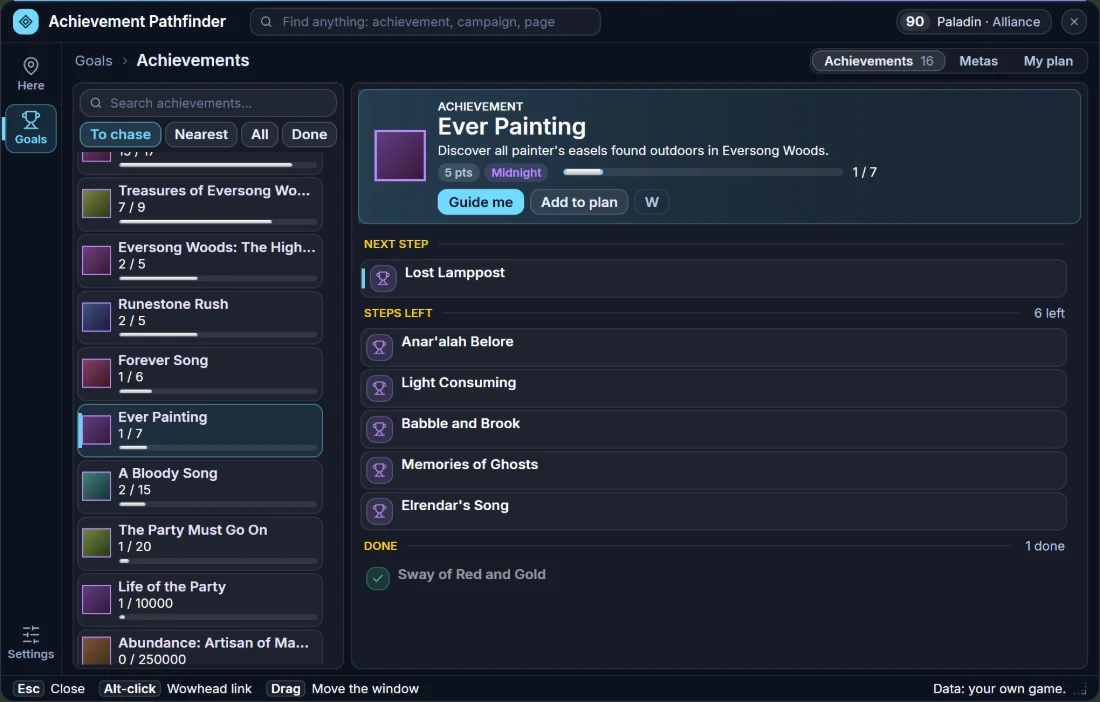
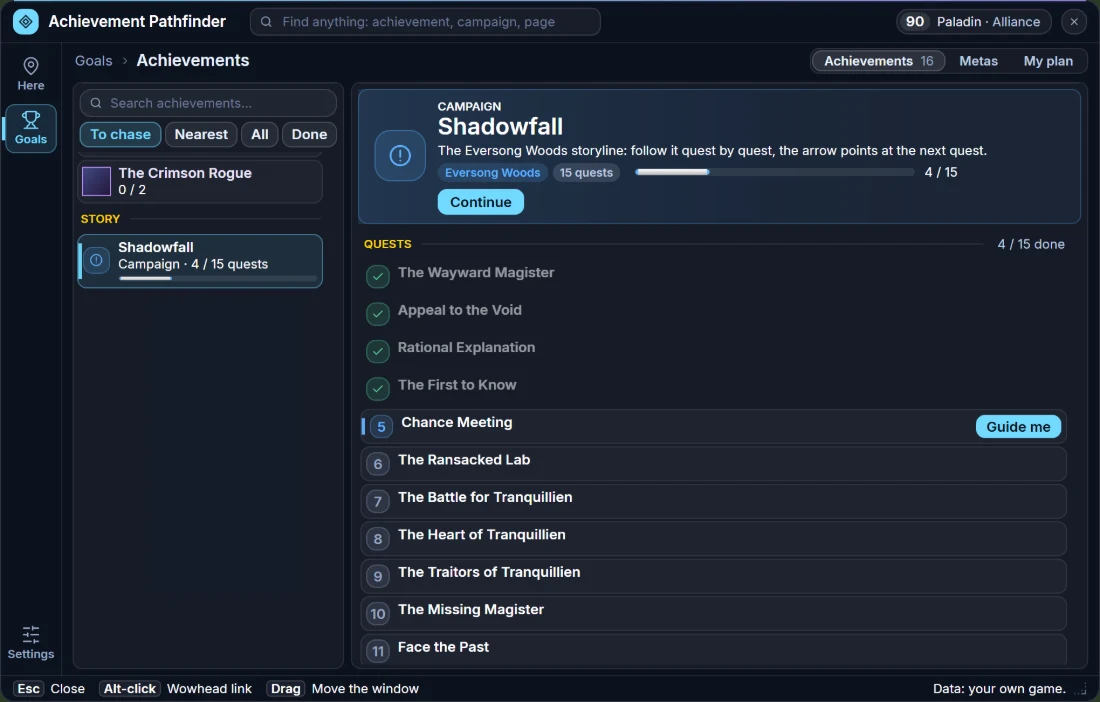
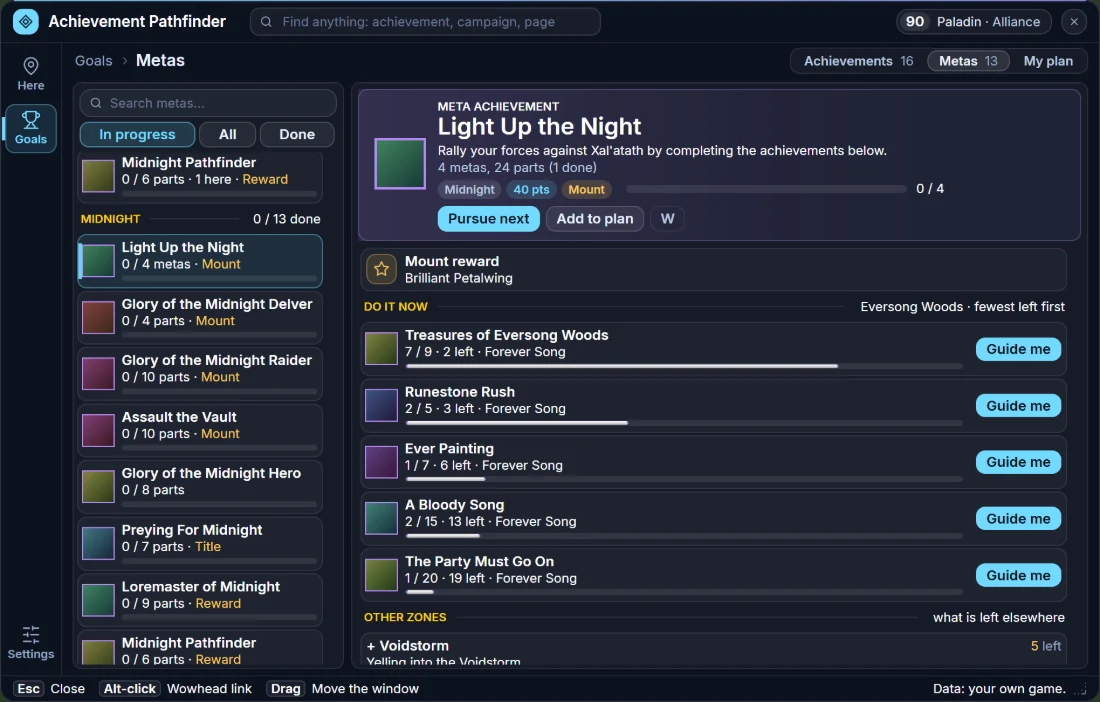
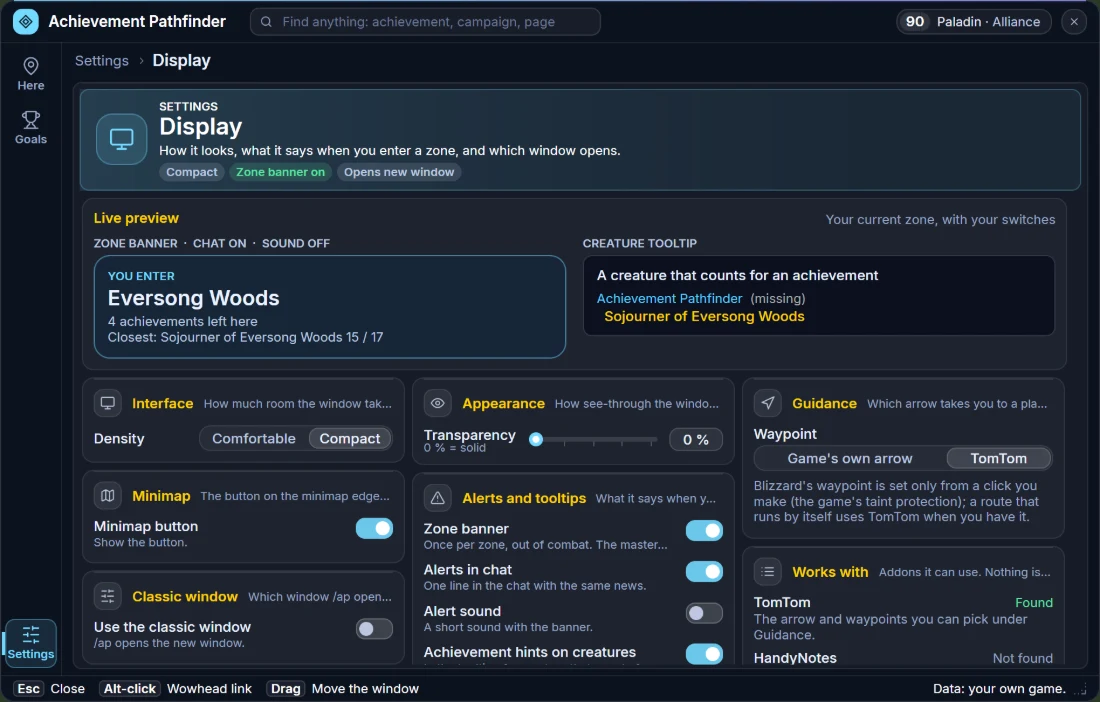
Illustrations rendered from the addon's own layout with sample character data (a level 90 Paladin in Eversong Woods) — not in-game captures. Tap to enlarge.
Pathfinder for WoW Forever, version 1.6.4 — the map is the story of this version. Scroll through the maps like in Google Earth: scroll in at the closest zoom and the next step dives into the zone under the mouse (from the world map straight into the zone), scroll out and you come up again, with no clicking your way through. Click one of the game's own quest markers on the map and Pathfinder follows: that quest becomes the one the tracker highlights and the arrow points at, so you can change quest right on the map. The zone levels are on the world map too, and when you point at a marker on the minimap it tells you what it is.
More quests have places on the map, and the ones with none say so. The mobs and items of 1,986 quests are known (it was 1,310), quests Pathfinder does not know get their places from QuestieDB when it is installed, and a quest nothing has a place for says no place instead of showing a distance to a guess. A data fault is fixed too: the places in Mulgore, Eastern Plaguelands and Redridge Mountains were in the old map frame, up to 14% of the map off. A quest you can pick up is a yellow ! of its own, like the yellow ? of one you can hand in, and a round info badge shows where to hand in a quest that is not finished yet.
The arrow can be switched off, and then it is really off — and its tooltip needs Shift or Ctrl, always. Everything Pathfinder puts on your screen has a switch now, and a short setup guide asks what you want Pathfinder to do for you, so it never overlaps with TomTom, Waypoint UI, Questie or Pawn. The buffs row stays up in a fight, and the game's own quest tracker stays out of sight in a fight too when you have replaced it.
The Plan window is more compact. It opens at 940 x 600 instead of 1100 x 700, with tighter rows, cards, buttons and sliders and pages that use the room better — Display in two columns, the time savers as a grid, switches instead of On and Off chips — so more of every page fits. The information is the same. Display > Interface > Density (or /apq density comfortable) gives you the roomier window back.
In 1.6.2 — the arrow, the route to a faraway quest and the map markers got clearer. The arrow and the box under it let your mouse clicks through: click, target and mouse over everything behind them (hold Shift or Ctrl over the arrow to drag it, stop guiding or see its tooltip). It points where the world map does: at the place where a quest is handed in, at the chest or barrel a quest ends at, or at a quest's objective, and the text says which. A route says what it is for and can always be stopped: the tracker shows ROUTE 1/5 — To The Doomed Fleet — about 9 min with a Stop row, the arrow's tooltip lists every step, and a card on the world map lists the steps and where each one starts, see-through so you can see where to run.
Also in 1.6.2: the map markers got easier to read, and they are on the minimap too. A quest you can pick up was a grey dot with a dark ! (it is a yellow ! of its own now, see above, with the small D beside it when it is for a dungeon), the quests in your log are light blue, a quest you can hand in has a yellow ? of its own, and everything that counts for an achievement is purple: a quest, an unexplored area for the Explore achievements, a dungeon entrance. A quest that leads to another continent says so, the tracker and the map agree about where a quest is, the tracker's quest names have the colour of their level, the headings in the Plan window are quest yellow so the parts of a page are easy to tell apart, and the whisper box fills from the top.
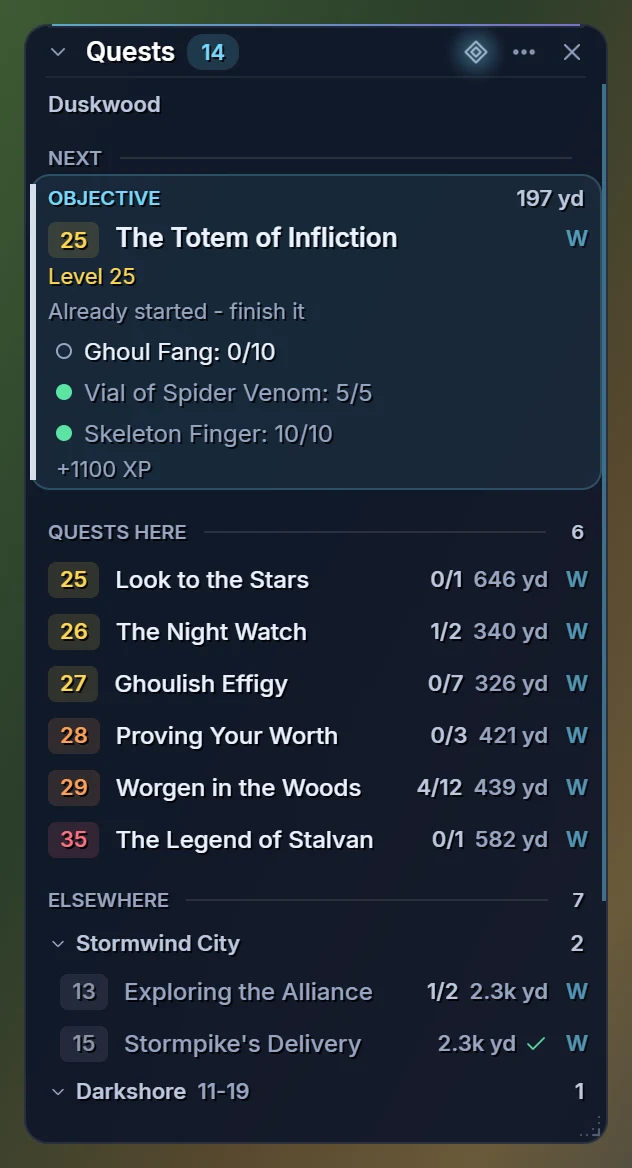
Since 1.6.1: Pathfinder for WoW Forever — the addon used to be called Achievement Pathfinder — comes with a new name and a new look. The quest tracker, every page of the Plan window and the pieces on your screen are glass now, and the Plan window has eight hubs (Here, Quests, Goals, Route, World, Gear, Hunter and Settings), a search box that finds quests, dungeons, achievements and places while you type, and a corner grip that resizes it. Here is a new start page: the zone you are in, your next best step with a compass and Guide me, and the quests and achievements right here. Your settings come along; /ap and /apq work as before and /pf is new.
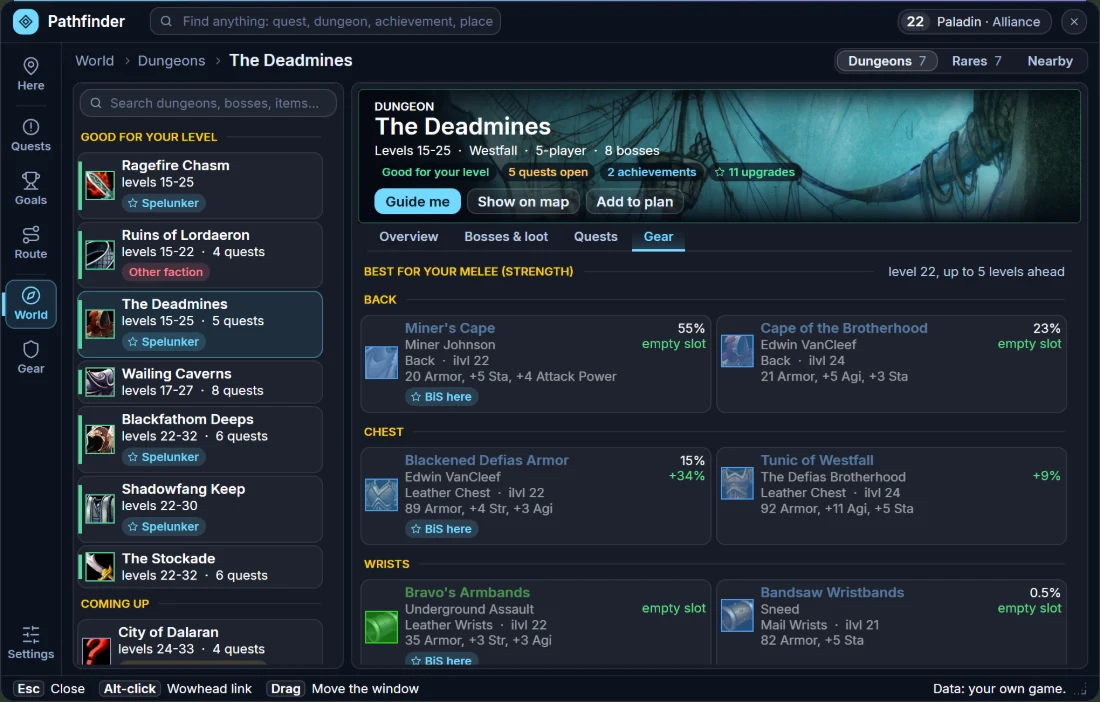
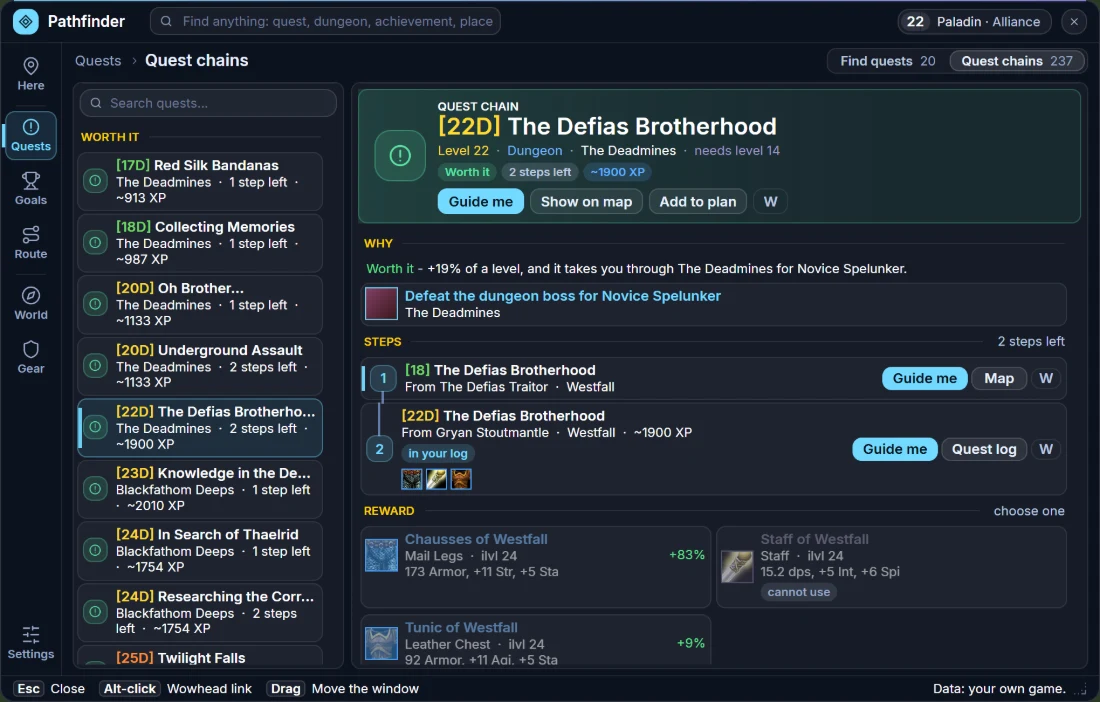
In 1.6.1 four pages were new. The Route Planner plans the fastest way to any zone, city or dungeon by walking, flight paths, boats, zeppelins, your hearthstone and teleports, with a time bar and the time of every step. Find quests lists, zone by zone, every quest you can pick up and why the others have to wait, in three columns: the zones, the quests and the quest you pick with what it needs, where, the reward and its whole chain. Gear shows what you wear on a row of tiles and compares every piece you could get — from dungeons, rares, the library and your professions — with what you wear; something you cannot use yet is a warning with the reason, never a green arrow. Display has sliders for text size and transparency, a live preview, row spacing for the tracker and every on-screen extra in one place.
Also in 1.6.1: every quest in your log on the world map, with a tooltip that says where its objectives are and what is left; recommended levels for every zone on the continent maps; crafted gear, rares and the library rewards in Gear; a timer and time played in the bar; whispers and guild chat in a see-through box; Nearby in the bar; a tracker you can resize and make see-through; and optional time savers (accept and hand in quests, repair, sell grey items — all off until you switch them on).
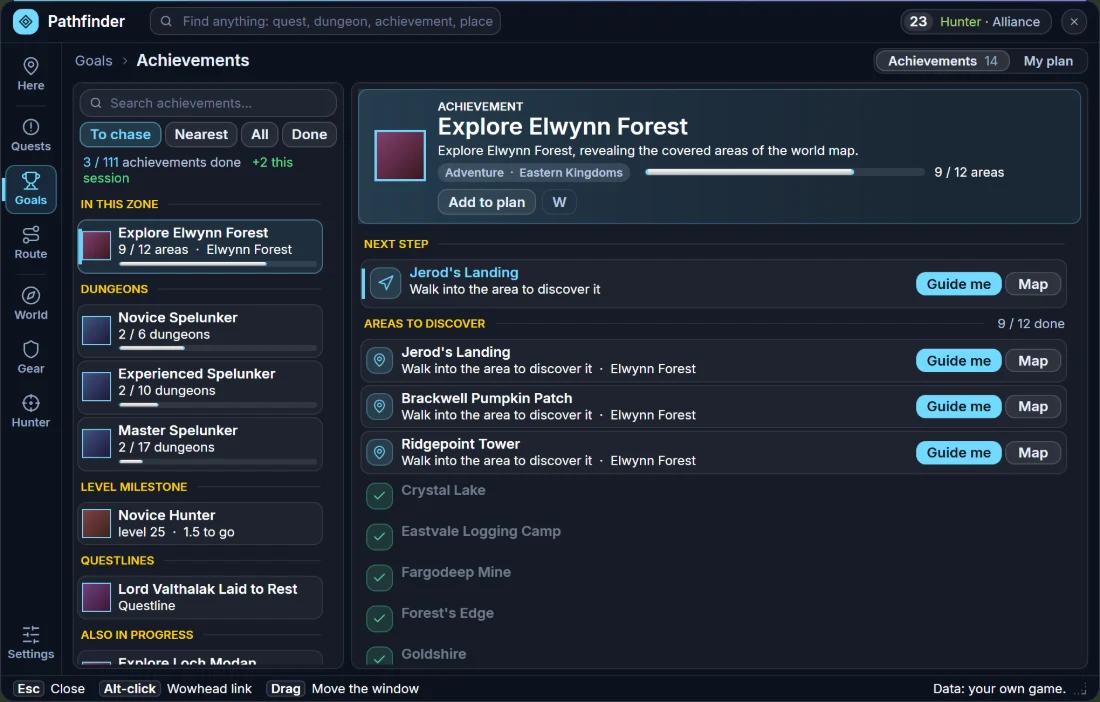
Since 1.6.0: the Achievements section of the Plan window is the whole achievement list. All 111 achievements are in it, with your progress, in four views under the search box: To chase (the zone you are in, areas to explore, dungeons, your level milestone, questlines and anything else you have started), Nearest (everything you have started, the fewest steps left first), All (by category, your own class first) and Done — and a search through all of them, whichever view you are in. Your total (for example 37 / 111) and this session's gain are at the top.
A meta achievement opens its parts: Explore Eastern Kingdoms lists every zone with its own progress and an Open button. Skills and levels get a bar with the numbers (45 / 75), and a profession achievement shows the nearest trainer, with Guide me and Map. /ap, Shift-click on the minimap icon and a click on an achievement in the tracker open it; the old compact window, with Compact mode and the opacity slider, is still there as /ap old.
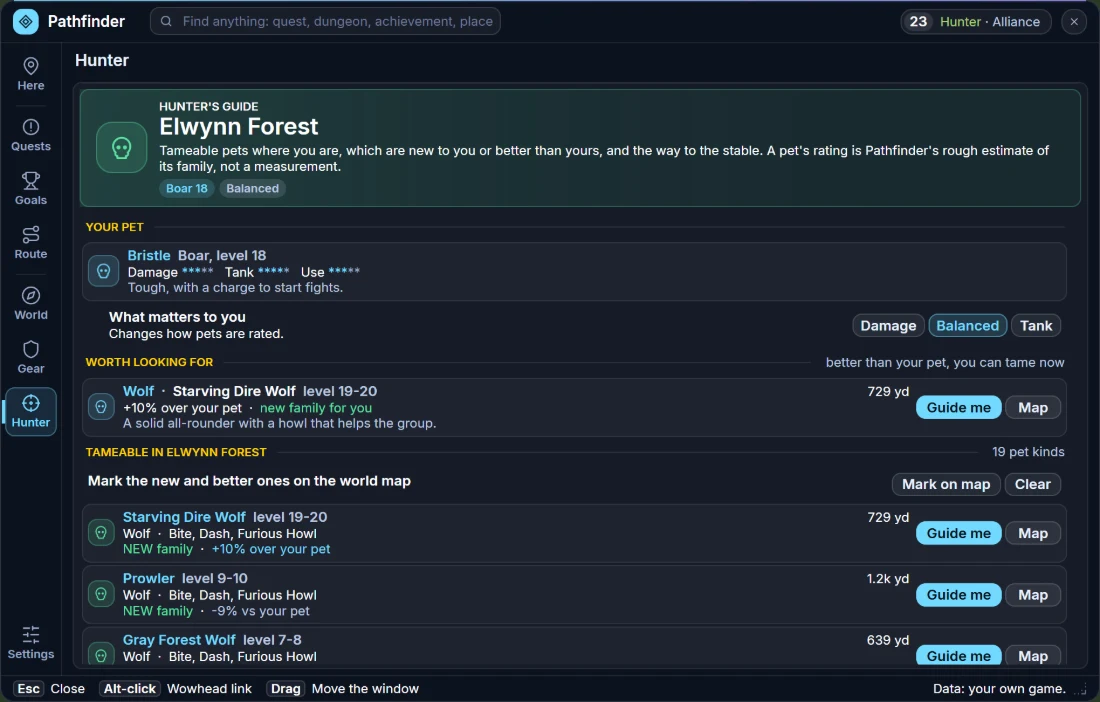
Since 1.5.0: three helpers. Upgrade marks: hover an item you can wear for the numbers (how much better or worse it is for your class and talent tree, and which of your items it was compared with), and look for the small arrow on the icons in your bags — green up for an upgrade, red down for worse. Nearby finds the nearest repair vendor, your class trainer, a First Aid trainer, the stable master and the trainer of any profession; Guide me points the arrow and marks the others of that kind in the zone on the world map. And hunters get a Hunter's guide: your pet, tameable beasts worth looking for, every tameable beast in your zone (new family, better or worse than your pet) and the way to the stable.
In 1.5.0 the on-screen extras grew too: right-click the FPS bar to tick what it shows (now with coordinates), hover any part for details, click Dur to be guided to the nearest repair vendor, and get a row of buffs that warns you before one runs out and reminds you of a missing class buff. Threat %, the leveling tracker and the game's own damage meter and cooldown numbers are still there, all optional and off until you switch them on. The addon only shows information — it never acts for you.
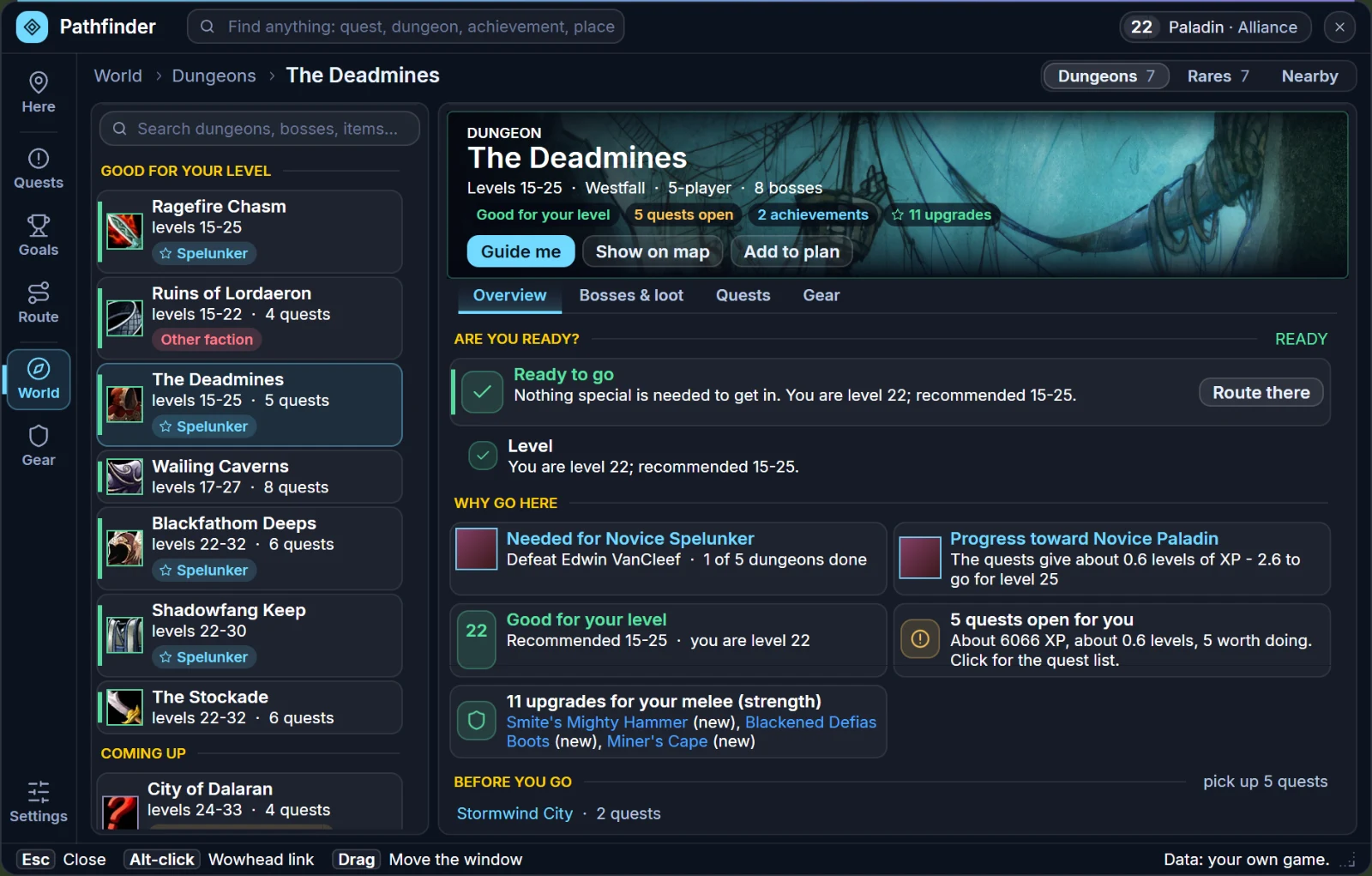
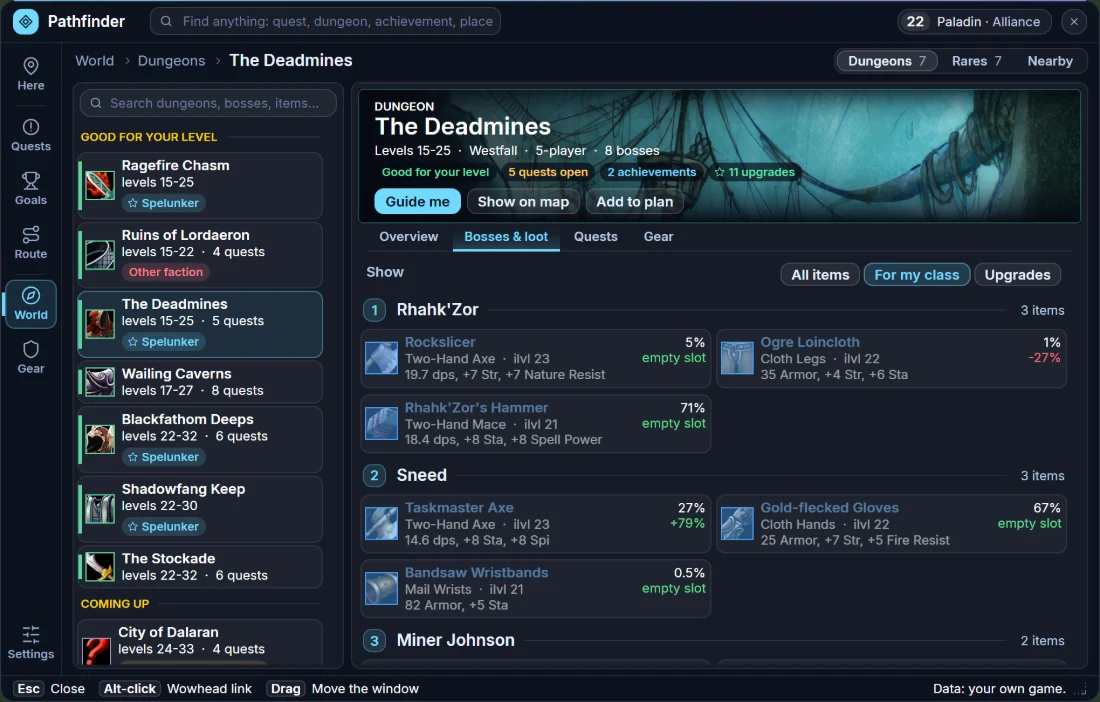
Still your one stop shop for Achievements, Dungeons and Quests while farming your BIS': the Plan window with every dungeon (a banner, its bosses, loot and the gear that beats what you wear), how to get each achievement, quest chains with level and Elite tags, and the quest tracker with its arrow and a Wowhead link (W) on every quest.
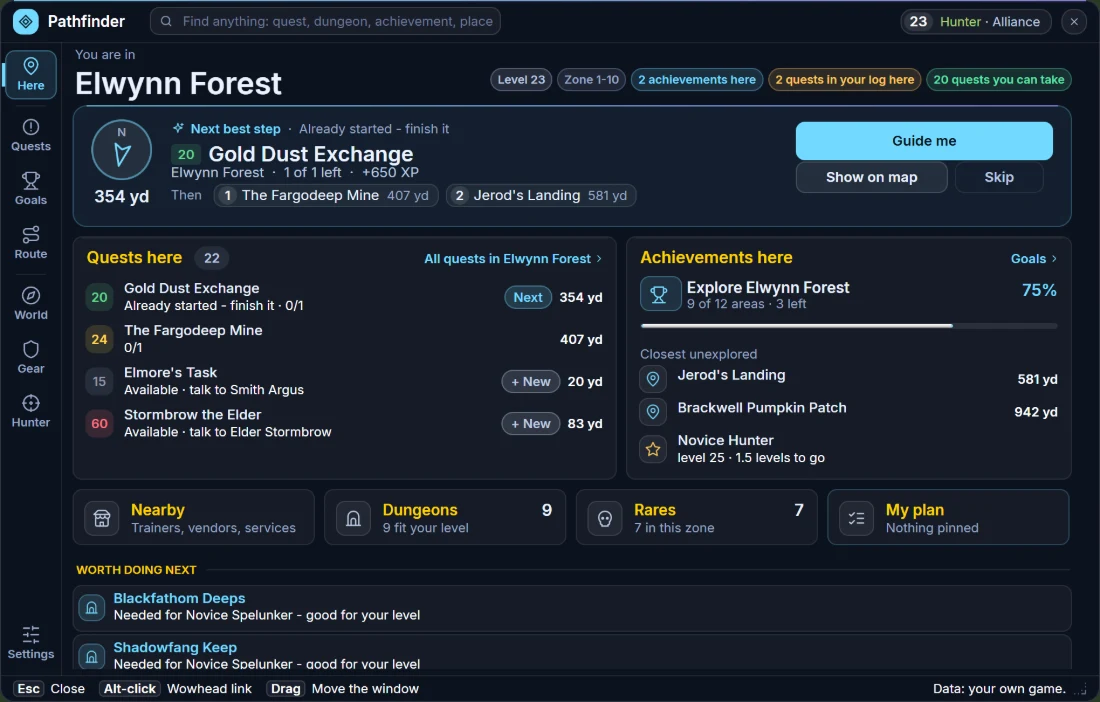
Here — The zone you are in, your next best step, the quests and achievements here. Left-click the minimap icon to open it.
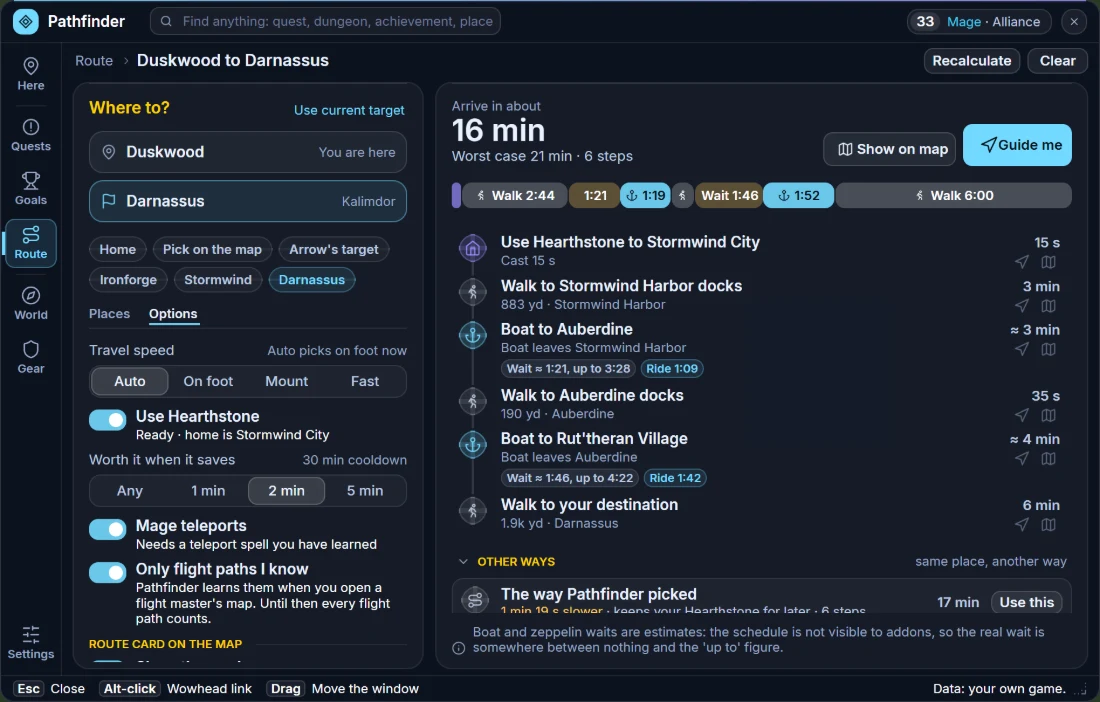
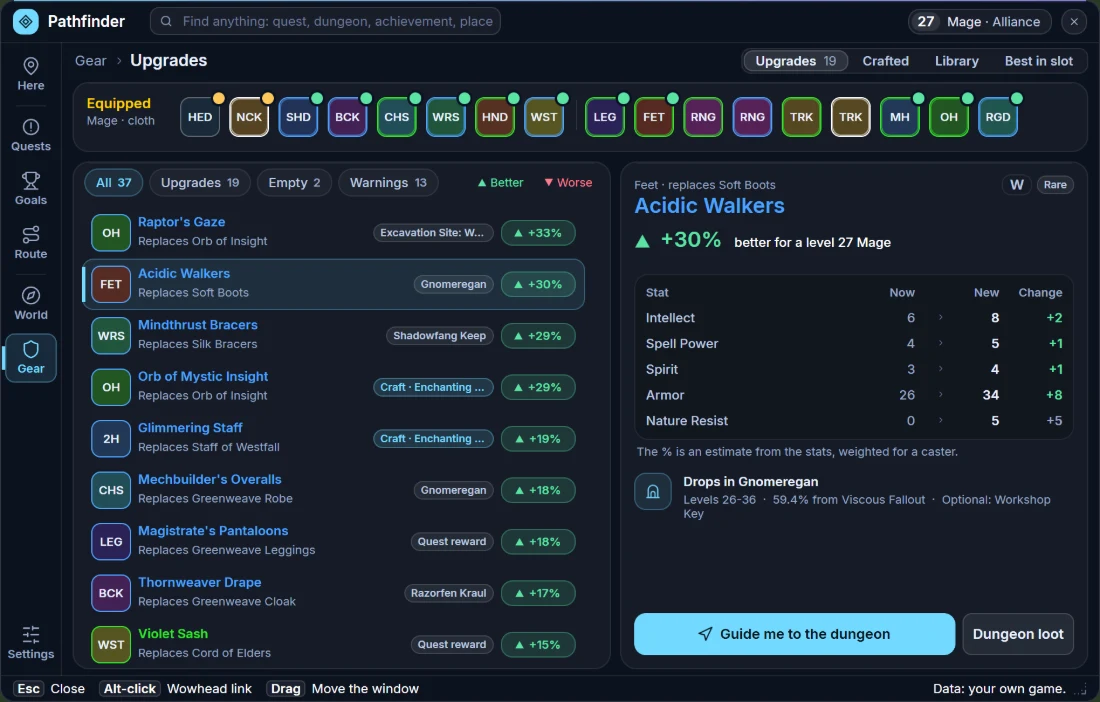
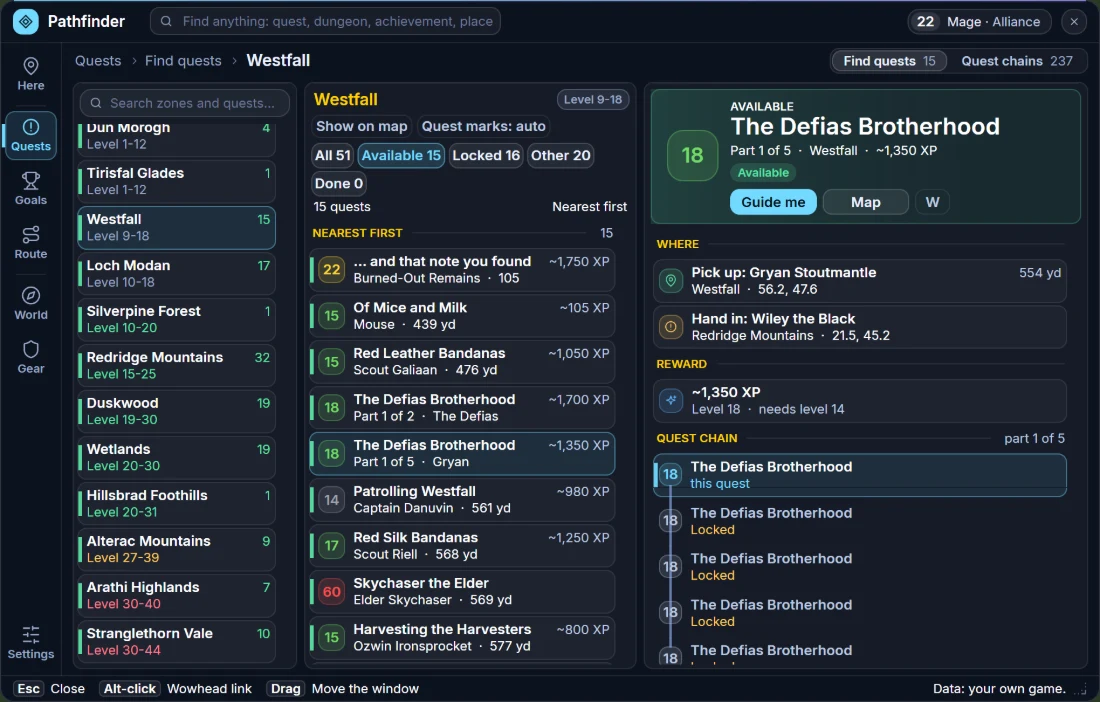
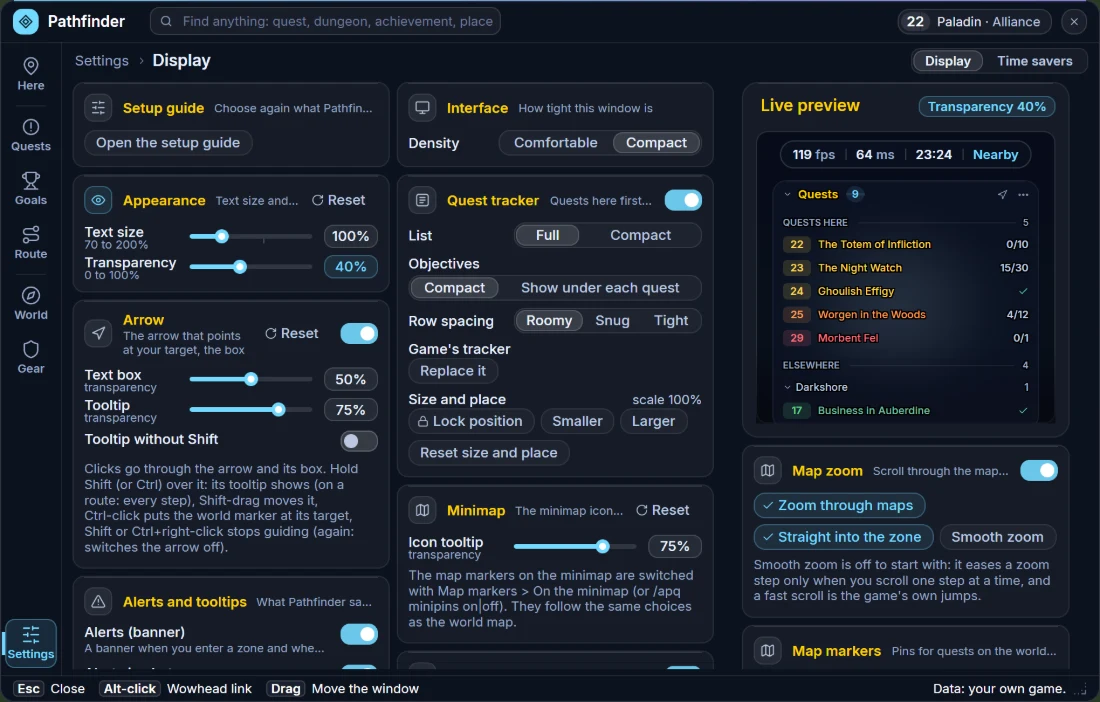
Illustrations rendered from the addon's own layout with sample character data (a level 23 Hunter, a level 22–33 Mage and a level 22 Paladin) — not in-game captures. Tap to enlarge.
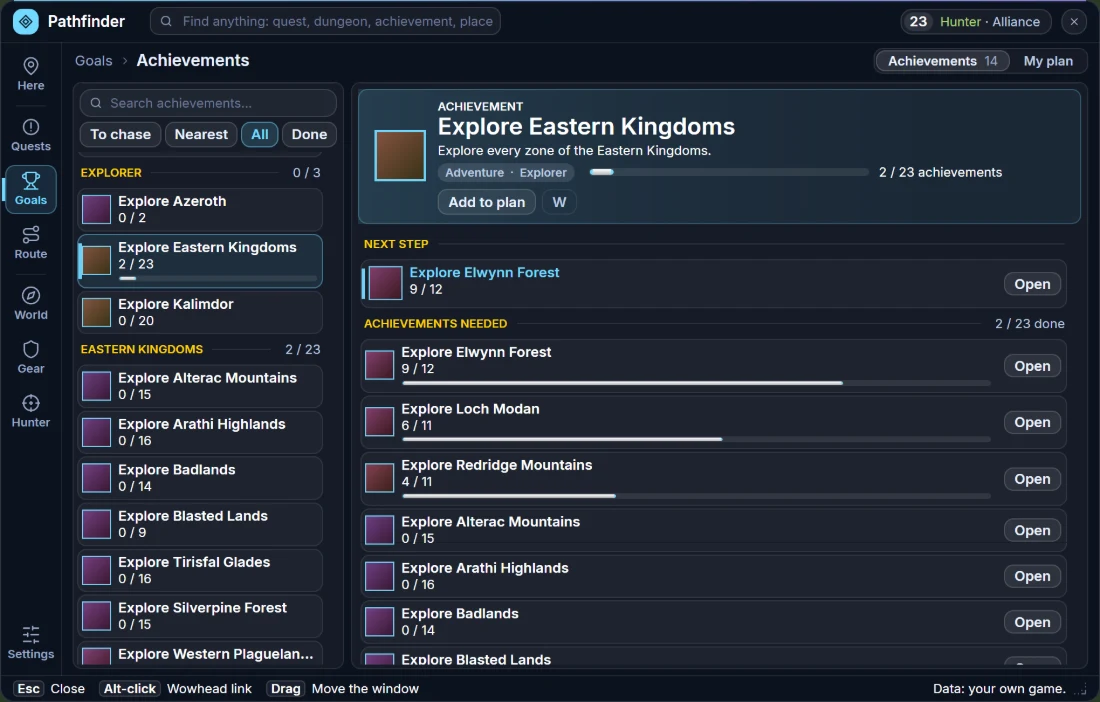
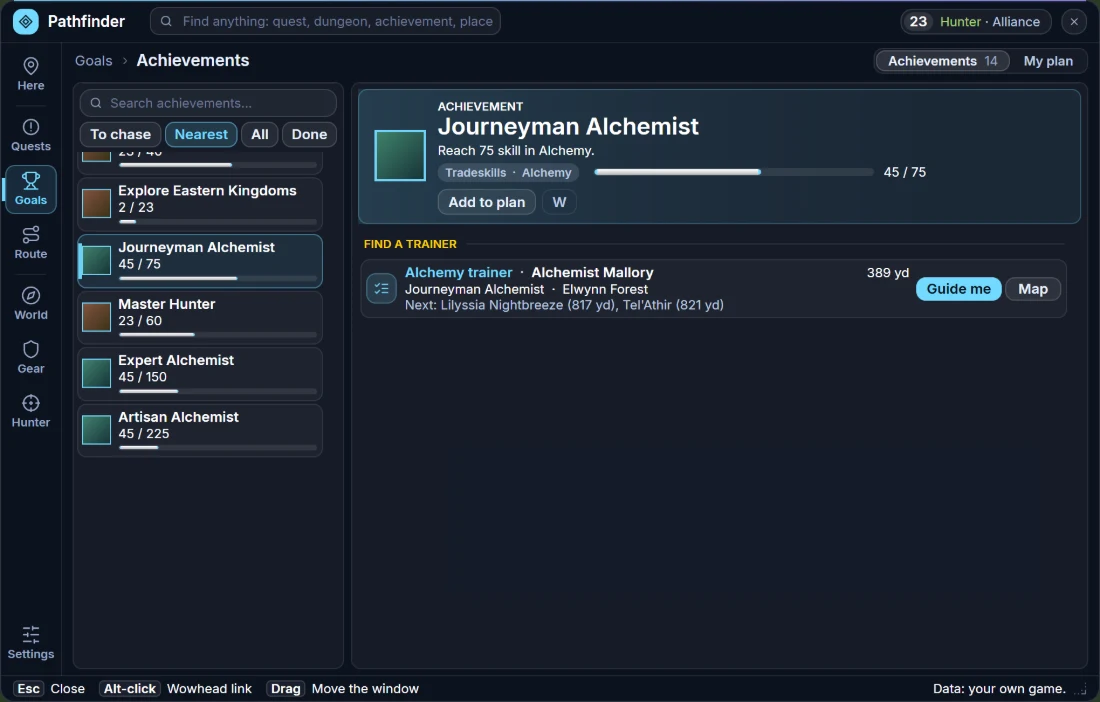
An illustration rendered from the addon's own layout with sample character data (a level 23 Hunter) — not an in-game capture. Tap to enlarge.
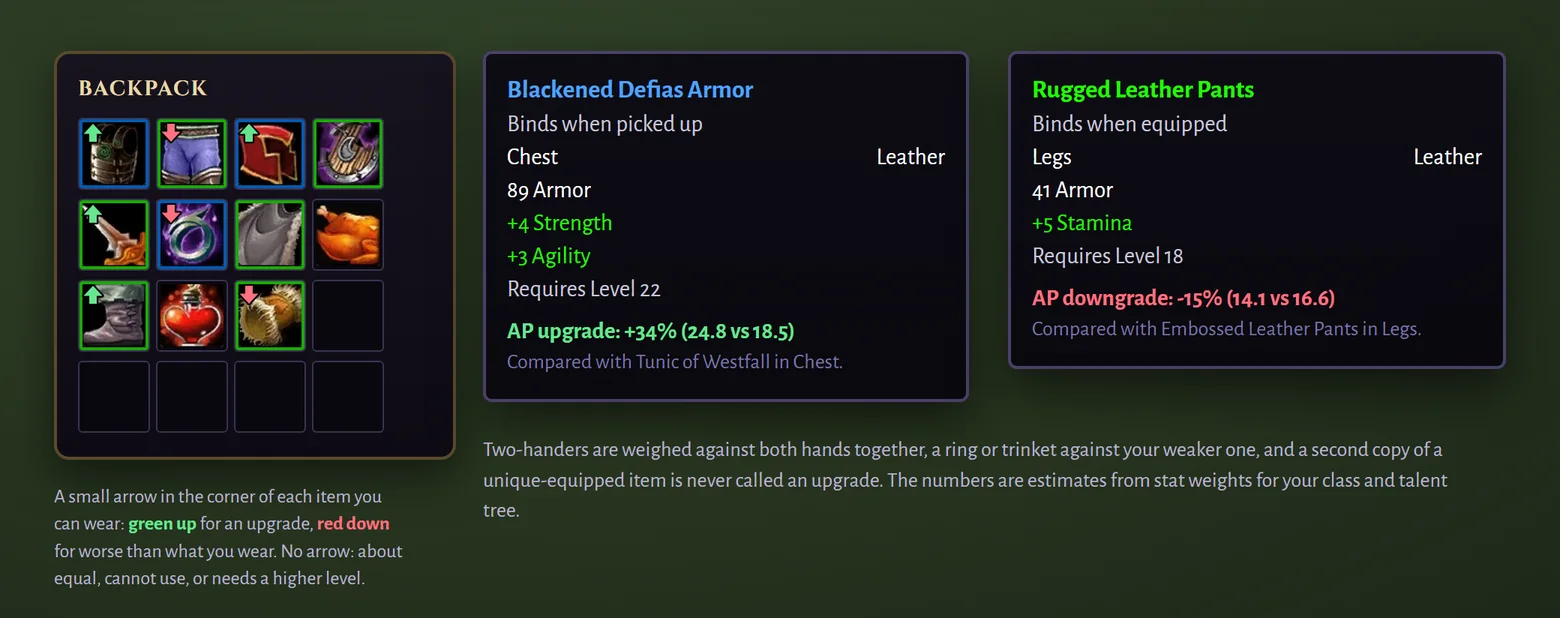
Upgrade marks: numbers in the tooltip and a small arrow on the item in your bags. An illustration with sample items — not an in-game capture. Tap to enlarge.
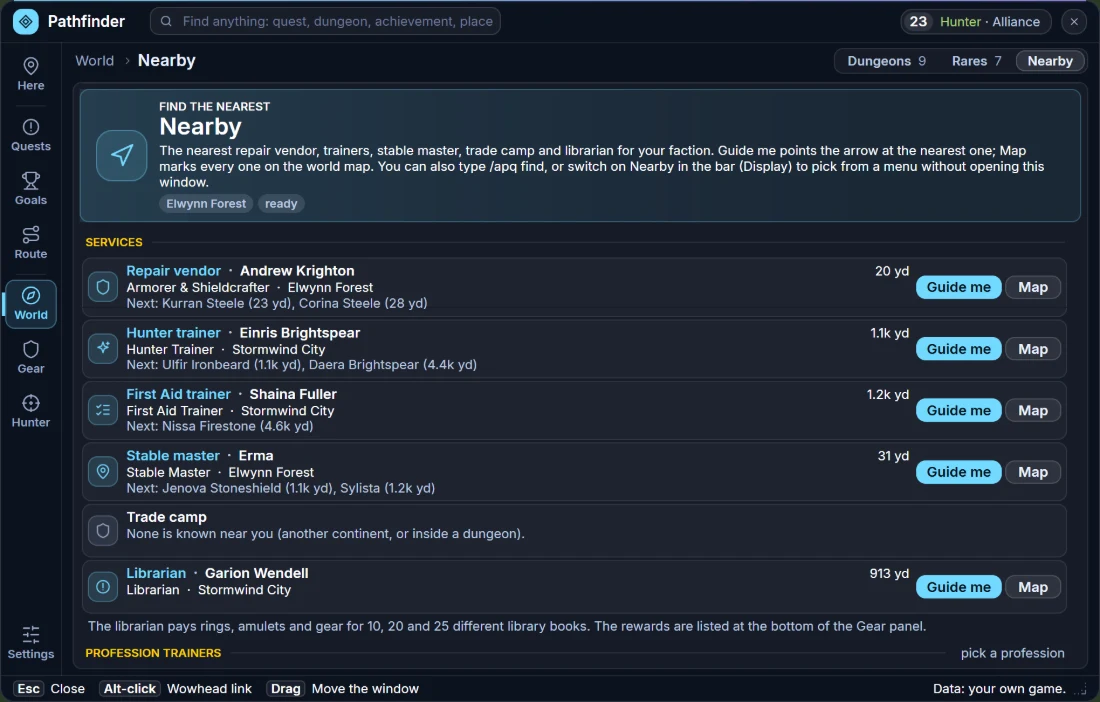
An illustration rendered from the addon's own layout with sample character data — not an in-game capture. Tap to enlarge.

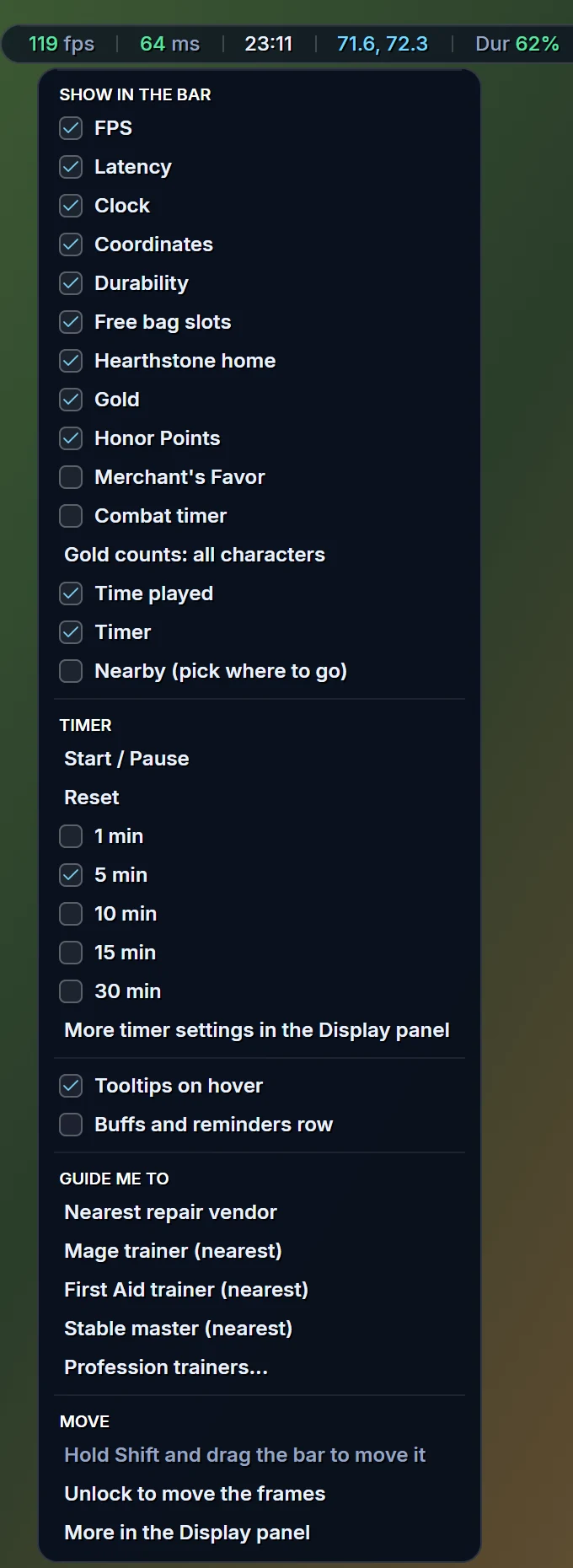
An illustration rendered from the addon's own layout with sample character data — not an in-game capture. Tap to enlarge.
How to install
- Download the Retail or Forever zip above.
- Unzip it so the folder AchievementPathfinder ends up in your WoW Interface\AddOns folder (inside your World of Warcraft installation).
- On the character screen, click AddOns and make sure Achievement Pathfinder (Retail) or Pathfinder (Forever) is enabled (tick Load out of date AddOns if it's shown).
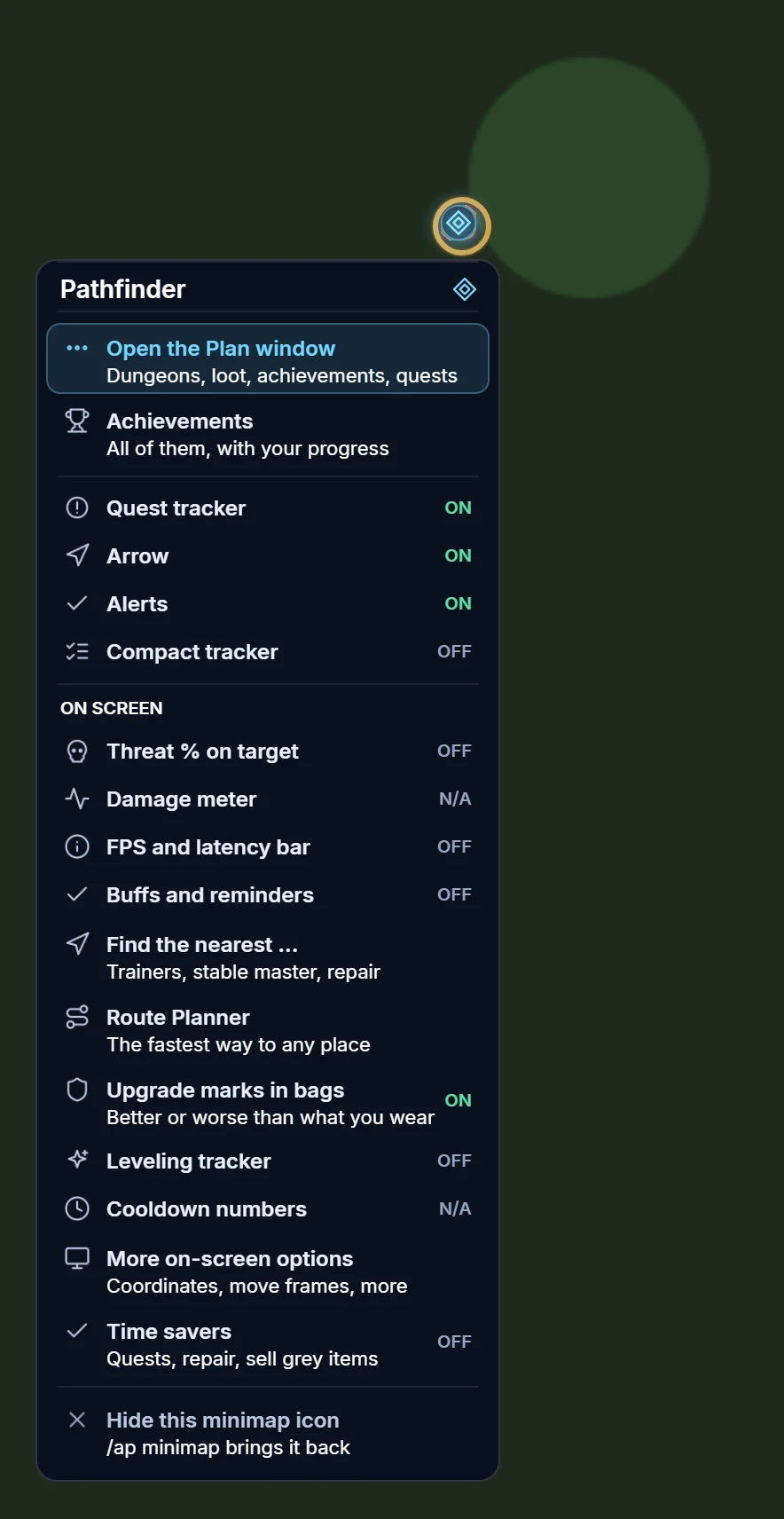
- Log in and type /ap — or click the minimap icon. On WoW Forever, /ap and Shift-click open the achievements in the Plan window, left-click opens the Plan window and right-click opens a menu with the on-screen extras, upgrade marks and the nearest-trainer guide.
Updating? Replace the old folder with the new one and type /reload. Your settings are kept.
Built for how you play
Dungeons with bosses, loot and gear upgrades, how to get each achievement, quest chains. A new glass look with eight hubs and a search box.
The zone you are in and your next best step, with the quests and achievements right here.
The fastest way by foot, flight path, boat, zeppelin, hearthstone and teleport, with the time of every step.
Every quest you can pick up in each zone, why the others wait, and the chain of the one you pick.
What you wear next to what is better — and what you cannot use yet, with the reason.
Sliders for text size and transparency with a live preview, and every on-screen extra in one place.
Quest levels, Elite tags and an arrow that follows your next objective.
Criteria tick off the moment you discover a sub-zone.
What you're one step from finishing, first.
Just the detail panel + a dropdown. Stays out of the way. On Forever: /ap old.
All 111 achievements by name, description or category.
To chase, Nearest, All and Done in the Plan window, with your total and this session's gain.
A meta opens its parts with their own progress; a skill shows a bar and the nearest trainer.
Threat % above your target, an FPS and latency bar with a right-click menu and coordinates, and a leveling tracker. Optional, and off until you switch them on.
A row of buffs under the bar that warns before one runs out and reminds you of a missing class buff.
One click in the minimap menu turns on the game's own damage meter and cooldown numbers.
Numbers in the tooltip and a small arrow on bag items: better or worse than what you wear.
The nearest class, profession and First Aid trainer, stable master and repair vendor, with an arrow and map markers.
Tameable pets in your zone, new or better than yours, and the way to the stable.
The separate Planner addon is invite-only and unlocks from the web Planner's “Send to addon” export. Open the Planner demo